Why this program exists (and why it is unique)
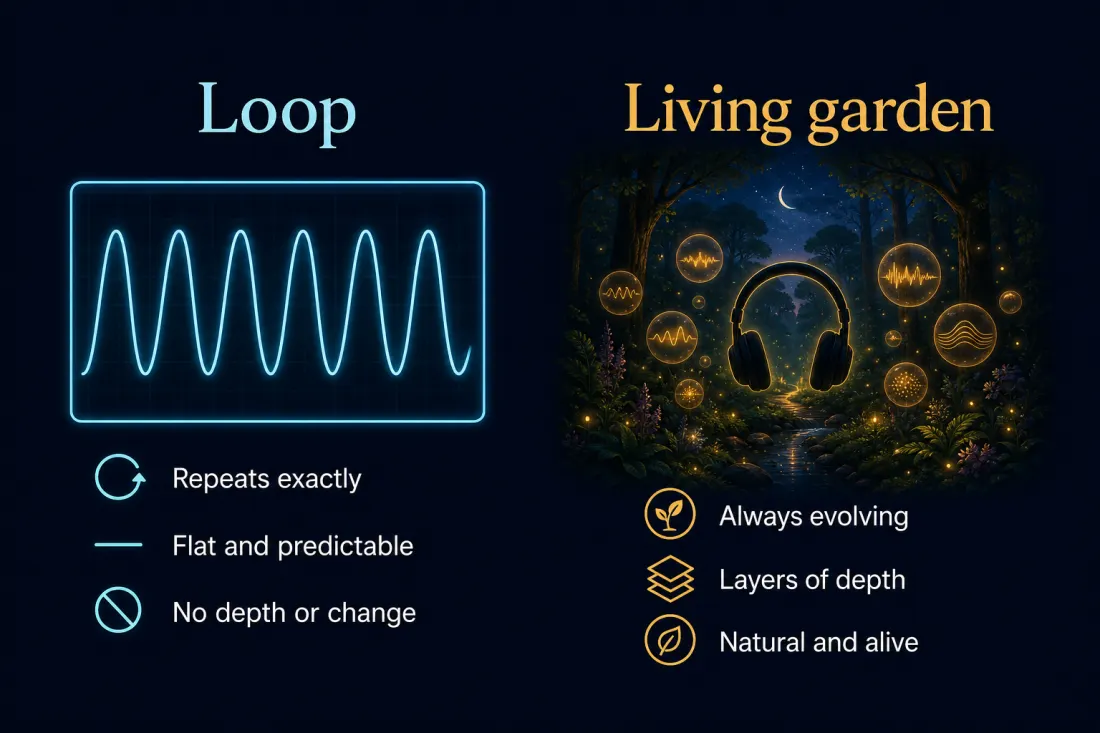
Most ambient apps are beautiful for about twenty minutes. Then your brain notices the seam — the same drip, the same gust, the same quiet pop in the recording — and the immersion collapses. The sound is still playing. It has just stopped being a place and started being wallpaper.
Sound Bubbles was built for the opposite problem. Instead of one mashed file, you get a garden of independent bubbles. Rivers can drift closer while birds fade into the distance. Wind can rise and fall on its own schedule. Brown noise can sit as a warm floor under everything else. The mix keeps evolving because the sources are alive in space, not stapled end to end.
That is the uniqueness in one sentence: you are arranging a room that breathes, not pressing play on a recording of a room. Use it for sleep, deep work, reading, meditation, masking a loud office, or just leaving a soft world open in the background. The player does not care which — it cares that the soundscape does not wear out after the first hour.
- Living gardens instead of fixed loops — layers drift and recombine.
- Spatial placement — closer is louder, farther is quieter; the centre of the view is the audible core.
- Your own world — YouTube, SoundCloud, Vimeo, uploaded audio, curated library clips, and synthetic noise beds.
- Motion that is not a gimmick — TimeLine paths (drift, orbit, spiral, wander…) keep the garden from freezing into a still photograph.
What you are looking at
Open the player and you will see a few regions that matter:
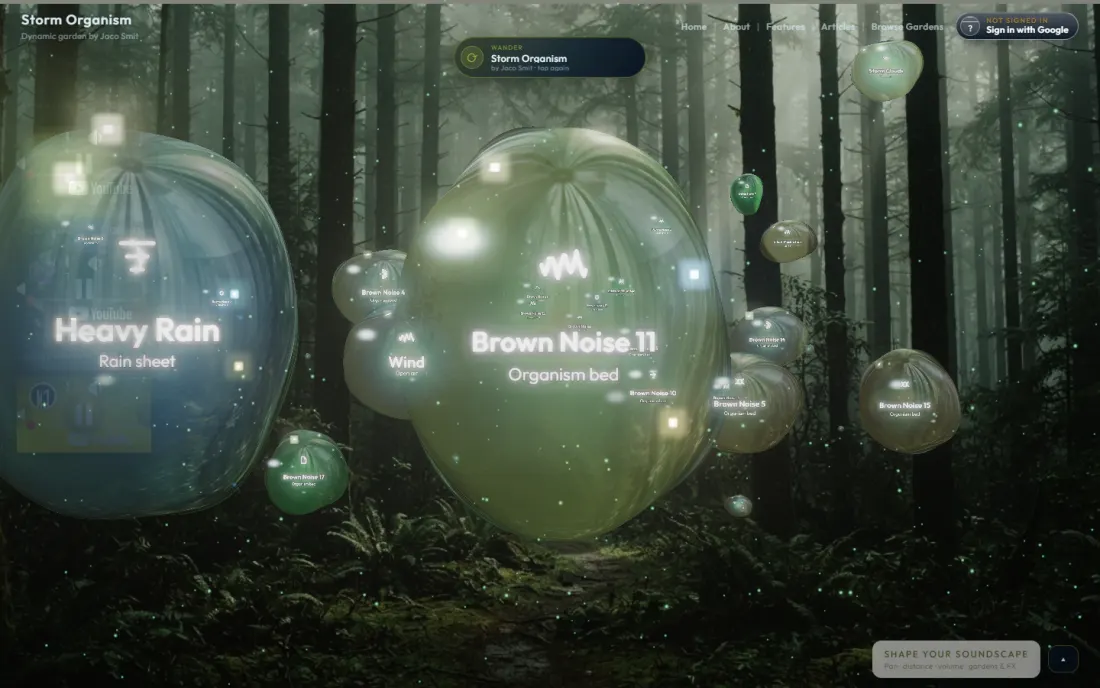
- Top bar — garden name and tagline, plus Home, About, Features, Articles, Browse Gardens, and sign-in.
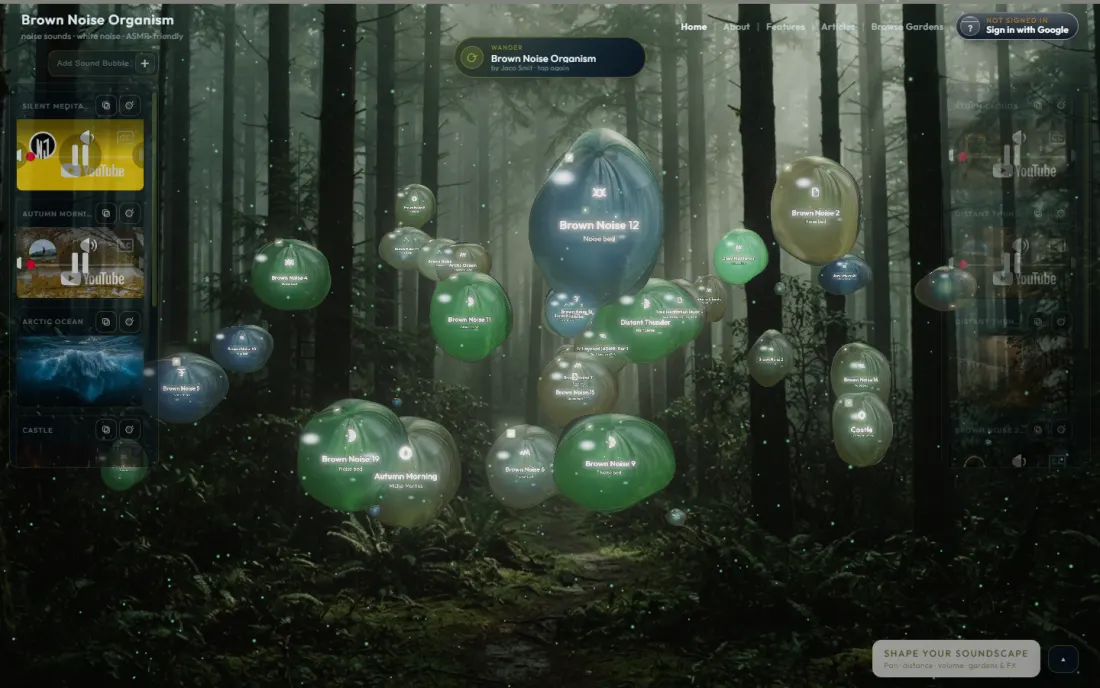
- 3D canvas — the garden itself. Bubbles float here. Drag empty space to rotate the view. Drag a bubble to move it. Scroll over a bubble to change its depth.
- Side rails — live embeds for the bubbles currently in the garden, plus Add Sound Bubble, Select bubble, Duplicate bubble, and Pop bubble.
- Floating listen button — first it says Start playing / Hear this garden. After audio unlocks it becomes Wander / Surprise me for a random garden.
- Bottom panel — starts collapsed behind Shape your soundscape. Expand it for Sounds, Video FX, TimeLine, Brown Noise, Skin, and Audio FX.
If the knobs seem “missing,” they are usually just hiding behind that collapsed panel. Click Shape your soundscape (or Show controls) and the mixer opens.
Your first two minutes
Browsers block sound until you interact with the page. That is not a Sound Bubbles quirk — it is how the web works.
- Land on the player. The default public garden is often Brown Noise Organism — a dense living cluster, not a flat tone.
- Press Start playing (or click anywhere on the page). Audio unlocks with a soft fade-in so you are not blasted.
- Listen for half a minute without touching anything. Notice that sources are not locked to one loop seam.
- Expand Shape your soundscape. Find Master Volume and set a comfortable level.
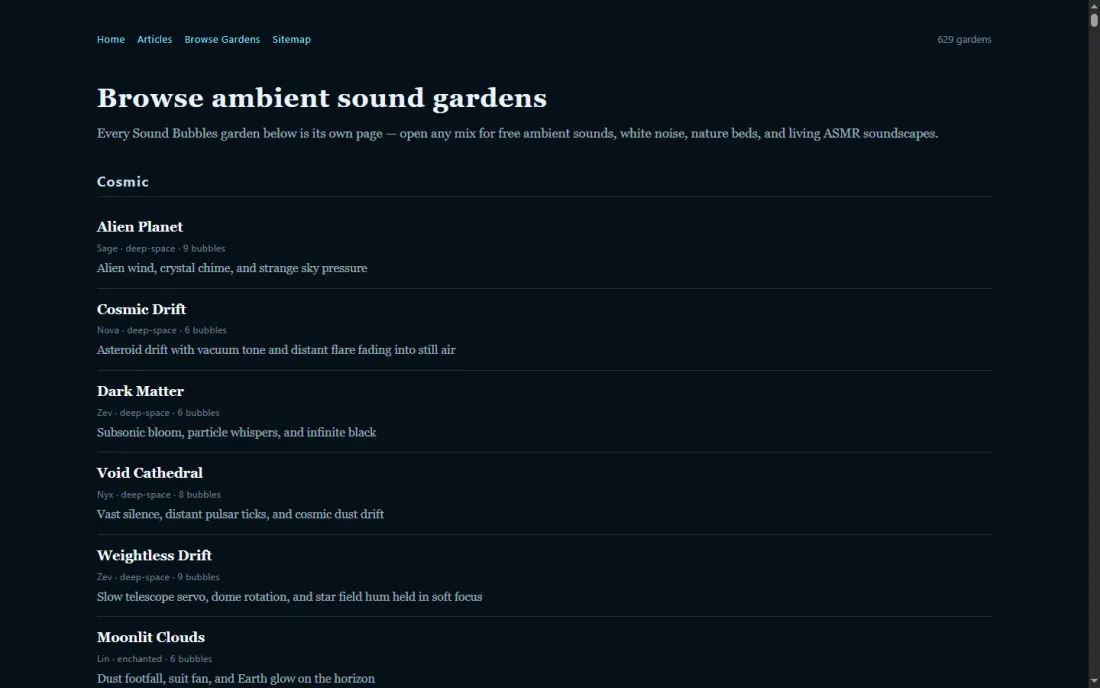
- Optional: open Browse Gardens, or tap Surprise me once you have already started playing, to wander into another public garden.
You do not need an account to listen, browse, or build locally. You need Sign in with Google only when you want to Save Garden, keep My Gardens / My Favourites, or publish a share link that survives a refresh.
What a bubble actually is
A bubble is one named glass orb in the garden. Inside it lives one sound source — a YouTube clip, a SoundCloud track, a Vimeo link, an uploaded audio file, a library ambience, or a synthetic noise voice released from the Brown Noise tab.
Bubbles are not decorative. Their position is the mix. When a bubble drifts toward the centre of your view (the audible core), it gets more present. When it slides toward the edges or deeper into the scene, it fades. That is the whole spatial idea: distance and placement replace a wall of equal-loudness faders fighting each other.
Click a bubble to select it. Selected bubbles get the focus treatment — that is when the Sounds knobs for Distance, Pan, and Volume apply to that bubble instead of the whole garden.
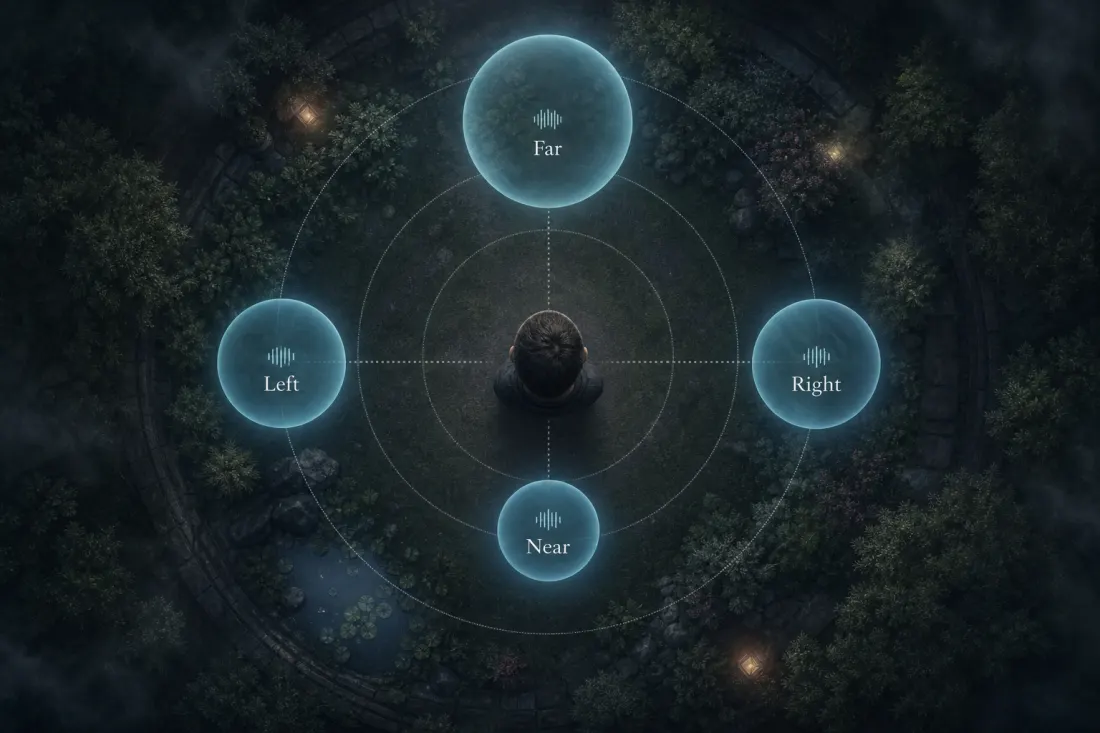
How to place and move bubbles
This is the part people expect to be complicated. It is mostly pointer physics:
- Drag a bubble on the canvas to slide it left/right/up/down in the view.
- Scroll the mouse wheel while pointing at a bubble (or while dragging it) to push it nearer or farther in depth. Watch the size / depth readout.
- With a bubble selected, use the Sounds knobs: Distance, Pan Left Right, Pan Up Down.
- Drag empty canvas to rotate the whole scene — that does not relocate bubbles; it changes your view of them.
If Distance and Pan feel locked, you have not selected a bubble. The app will nudge you with Choose a bubble — click one first. Those knobs only move the focused bubble in 3D space.
A useful mental model: put continuous beds (rain, brown noise, distant wind) a little farther out so they become the floor of the room. Put anything with more character (birds, café murmur, a soft instrument) closer if you want it present, or farther if it should stay polite.
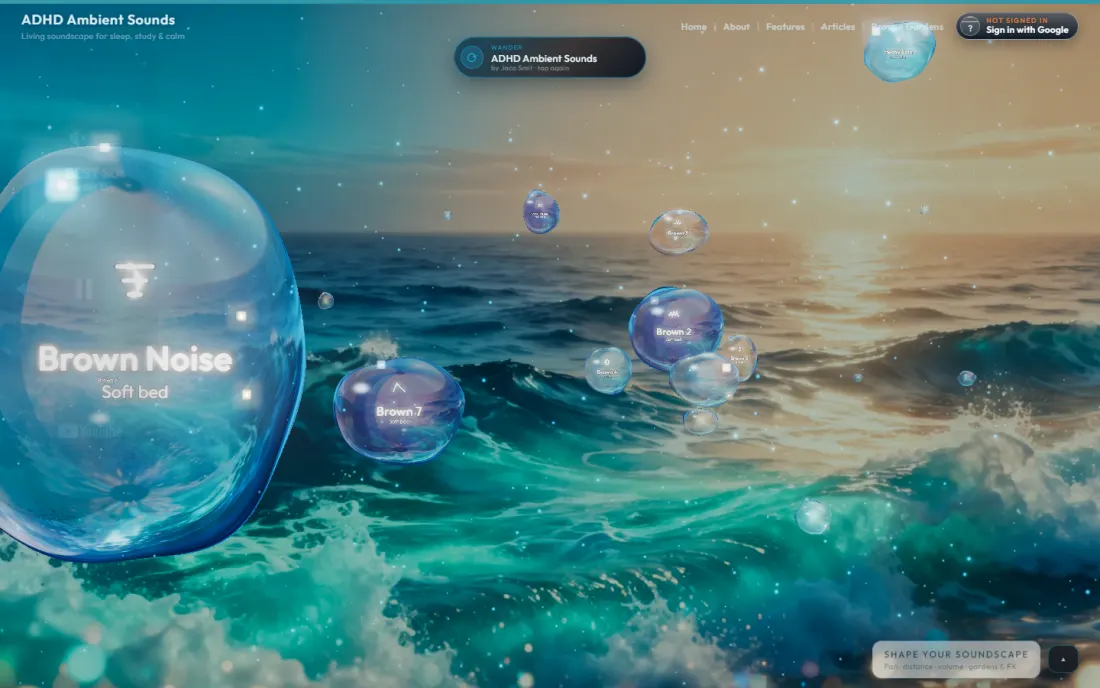
How to pop a bubble (and where)
“Popping” is how you remove a bubble from the garden. It is intentional, a little theatrical, and available in more than one place on purpose — because when a source starts to grate at 2am, you want the exit to be obvious.
- Side rail — on that bubble’s row, use Pop bubble (the × control).
- Right-click a bubble on the canvas → context menu → Pop bubble.
- You can also Duplicate bubble from the side rail when you like a placement and want a second copy to tweak.
Popping plays a short pop sound, bursts the orb, and stops that bubble’s media so it leaves the mix. There is no separate “Mute bubble” button: if you only want something silent for a while without deleting it, select the bubble and turn its Volume knob to zero. Pop when you are done with it for good.
How to set up / add bubbles
Start from an existing garden and reshape it, or plant a blank one.
Add to the garden you already have open
- Click Add Sound Bubble on the left rail, or + Add bubble on the panel.
- In the Add bubble lightbox, paste a link (YouTube / SoundCloud / Vimeo), or upload an audio file (mp3, wav, ogg, m4a, flac…).
- Or open Browse library, tick curated ambiences, and Add bubbles.
- You can also drag-and-drop an audio file onto a focused bubble when you want to replace or feed that orb.
Plant a new garden from scratch
- Sign in → New Garden (Plant a soundscape).
- Basics — name, description, choose Blank canvas or Copy this garden.
- Bulk import — paste several YouTube URLs at once, and/or Choose sounds… from the library.
- Background — pick a theme (Forest, Night lake, Ocean dusk, Ember, Mist valley…) or upload a 16:9 image.
- Submit with Create garden, then place and tune the bubbles as above.
From the Brown Noise tab you can also shape a noise bed and hit Release as bubble — that turns the current noise voice into a real bubble in the garden, which is how a lot of the organism-style gardens get their warm floor.
Tuning the Sounds tab (the everyday mix)
Expand the bottom panel → Sounds. These are the controls you will touch most:
- Master Volume — garden-wide level. When a bubble is selected, this knob becomes Volume for that bubble only. Easy to confuse: if one bubble feels quiet, check whether you are editing Master or the selected Volume.
- Lowest Vol — the floor when a source is far from the audible core. Raise it if distant bubbles disappear too hard; lower it if the edges stay too busy.
- Compress — evens loud and quiet bubbles so one link does not dominate the room.
- Falloff — how quickly loudness dies away from the centre. Watch the on-canvas guide: Audible core, Wide audible field, Tight audible core. Inner ring = still present; outer dashed ring = near quiet.
- Distance / Pan Left Right / Pan Up Down — precise pose for the selected bubble.
Small knobs have i tip buttons — hover or open them when a label is unclear. Start with Master Volume and Falloff before you dive into FX.
TimeLine: why the garden keeps drifting
Still bubbles eventually feel like a collage. The TimeLine tab is how gardens stay alive without you babysitting them.
Pick a path flavour — Classic, Orbit, Fig 8, Drift, Spiral, Pendulum, Tide, Galaxy, Meander, Mist, and many others — and optionally enable Randomize. Then shape motion with knobs like Wander, Breath, Depth Tide, Life, Orbit, Tempo, Chaos, Span, and Roam.
For sleep and long focus, prefer gentle paths: soft Drift / Tide / Mist with low Chaos. For more cinematic gardens, raise Orbit or Chaos a little. After you drag a bubble by hand, path motion eases back in over a few seconds so your placement is not instantly yanked away.
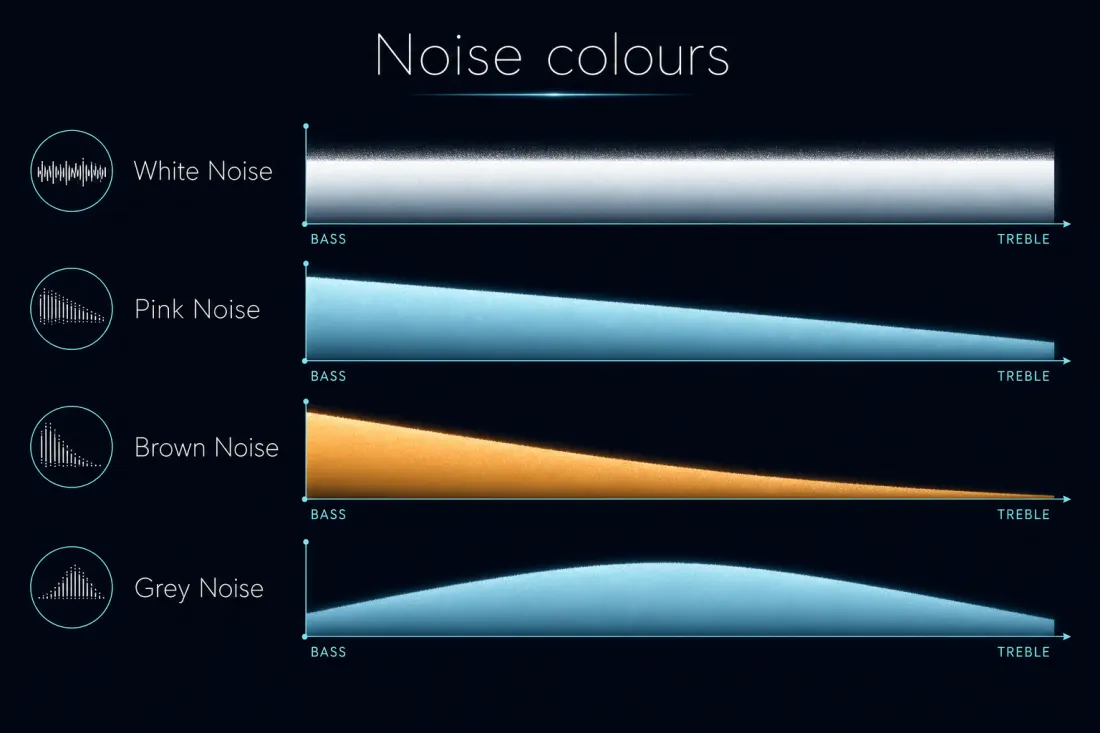
Brown Noise, colours, and the floor of the room
The Brown Noise tab is a full noise studio living under the garden: mix Brown, White, Pink, and Grey, then shape with Noise Level, Bass, Mids, Treble, Freq, Resonance, Filter, Warmth, Hiss, Width, Motion, and Soft.
Brown sits low and warm — a river under the room. White is brighter grit. Pink sits between. Grey is a useful mid mask. You can leave the tab as a global bed, or Release as bubble so the noise becomes a spatial source you can place like any other orb.
If the organism garden feels empty, check that Noise Level is not parked at zero — and remember some gardens also carry separate noise bubbles even when the tab bed is quiet.
Audio FX, Video FX, and Skin
Audio FX defaults to FX Off. That is deliberate — one-shots and verb should not surprise you mid-sleep. When you want atmosphere on top of the garden, switch to FX On and explore Reverb, Echo, Delay, Space, Warmth, Soft, Air, plus One Shots / Shot Gap / Scatter and the shot-specific controls. FX Library lets you preview and enable ambient one-shots. Use Test effect when you are dialling something in.
Video FX is the look of the orbs and space: Bloom, Particles, Bubble Glow, Wobble, Float, Glass, Iridescence. Purely visual — turn Reduce motion on in Settings if you prefer a calmer scene.
Skin — upload an image or muted WebM, or Clear. The UI tint follows the skin so the whole player can match a night desk, a forest still, or your own photo.

Save, share, browse, and favourites
When the garden feels right:
- Save Garden (signed in) — stores every tab: Sounds, Audio FX, Video FX, TimeLine, Brown Noise, Skin. Choose overwrite or save as new. Toggle Make public and Allow remix as you like.
- Share Garden — copy the garden link or an embed iframe. Public gardens use pretty URLs like
/soundscape/g/your-garden-slug. - Browse Gardens — Discover and Community Gardens, sorted by Top rated, Most played, Newest, Name, or Most bubbles. Categories span Nature, Work & Focus, Medical & Wellbeing, Noise Organisms, and more.
- My Gardens / My Favourites — your library and the ones you liked.
Private gardens stay private until you turn on Make public — a share link will not open for other people before that. Listening never requires a login; permanence does.
A recommended first session (about ten minutes)
- Open the player → Start playing on Brown Noise Organism (or any garden you landed on).
- Expand Shape your soundscape → set Master Volume and try Falloff while watching the audible-core rings.
- Click one bubble → drag it → scroll depth → nudge its Volume.
- Pop one bubble you do not need (side rail or right-click) so you feel the exit.
- Add Sound Bubble from the library — one rain, one distant bed — and place them apart in space.
- Open TimeLine, pick a gentle Drift / Tide path, keep Chaos low.
- Optional: peek at Brown Noise, raise a little Motion, or Release as bubble.
- If you want to keep it: sign in → Save Garden → Share Garden for your
/g/…link.
That is the whole loop: listen, place, pop, tune, save. Everything else is depth for when you are ready.
Gotchas that trip people up
- Silent page — press Start playing or click once. Autoplay is blocked by the browser until then.
- First Start playing is not Wander — the same floating button unlocks audio first; only afterward does Surprise me jump gardens.
- Panel collapsed — knobs live under Shape your soundscape.
- Master Volume vs Volume — the label flips when a bubble is selected.
- No per-bubble Mute — Volume to zero, or Pop.
- Audio FX off by default — One Shots stay quiet until FX On / One Shots raised.
- Library Garden Mute — while browsing the sound library you can mute the living garden; switch Garden back to On when you leave.
- Save needs Google — browsing and listening do not.
- Private share links — Make public before expecting others to open them.
Once those are in your pocket, the rest is taste: which bubbles belong in the room, how wide the audible core should feel, and how much the garden is allowed to wander while you do something else with your life.
Open the player, start with one garden, and treat the first session as arranging furniture in a soft room — not as configuring a studio. The uniqueness shows up in the listening, not in the manual.
Research behind living gardens
Three scientific threads explain why Sound Bubbles is built the way it is — and why that design is more than a visual gimmick.
1. Habituation and prediction. Identical repetition loses potency and loop seams re-trigger orienting; predictive-brain accounts explain why a memorised rain file stops feeling like a place.[2][3][4][5][6][7]
2. Auditory scene analysis and spatial hearing. Real environments are segregated streams in space. Localisation and binaural research show why distance and independent sources feel more real than a glued stereo mashup.[1][9][10][11][12][14]
3. Masking, attention, and restoration. Irrelevant speech harms memory and office work; moderate ambient noise can aid creativity; nature sounds support stress recovery; coloured-noise beds supply continuous floors without bright hiss.[8][16][17][18][19][20][22]
ISO soundscape thinking treats acoustic environments as perceived places — which is exactly what a garden of bubbles is trying to be.[21] Sleep-masking and hearing-health literature add the safety boundary: continuous floors can help against irregular noise, but volume and duration still matter.[26][27][28][29][30]
Science snapshot for curious readers
Living gardens align with habituation/prediction research (loops fail), auditory scene analysis (layers parse as places), and masking/attention literature (speech hurts focus; floors help sleep and offices).[1][2][17][29] Open the recommended gardens below to hear each principle in one session.
Sound Bubbles tuning reference (worth learning once)
Master Volume sets the whole room. Start lower than you think — you can always raise one bubble instead of the entire garden.[27][28] Per-bubble Volume is how you balance layers without destroying dynamics: rain can stay audible while brown bed whispers.
Falloff is the secret weapon for speech and spike control. High falloff means only bubbles near the audible core sound “in your head”; everything else feels outside the window — exactly the intelligibility reduction office and sleep literature points toward.[8][18] If a layer feels too present, move it back before turning it up.
TimeLine adds slow environmental change so habituation does not turn your garden into wallpaper.[2][3] Pop anything that announces itself after ten minutes — a good garden should feel found, not performed.
Save & remix: when you find a mix that survives an hour, save it. Public medical and organism gardens are starting points; the best room is usually one you tuned for your desk, nursery, or bedside.
Why this supports Sound Bubbles — not just “any ambient app”
Most ambient apps deliver one file. The studies above rarely study “a loop.” They study continuous floors against irregular noise, unintelligible speech against memory tasks, nature scenes against stress markers, spatial streams against glued mashups, and slow environmental change against habituation.[1][2][17][19][29]
Sound Bubbles maps onto those findings deliberately: brown/noise beds for masking floors, nature and library layers for restorative structure, distance/Falloff for speech intelligibility control, and TimeLine motion so the garden keeps the statistics of a place instead of the statistics of a four-minute loop.[3][8][18][22] That is the practical reason the product feels different after the first hour — and the scientific reason the difference matters.
Recommended gardens — open in one click
These gardens match what this article describes. Each link opens the garden in the player — press Start playing and adjust Falloff if anything feels too close.
- Brown Noise OrganismStart hereThe default living organism — brown beds, storm layers, and TimeLine drift. Best first garden to learn popping, placing, and Falloff.Open garden →
- Classic Organism DriftGentle motion across multiple bubbles — feel why drift beats a frozen loop without overwhelming controls.Open garden →
- Rain OrganismLayered rain with independent distance — hear auditory scene analysis in action.Open garden →
- Forest OrganismBirds and canopy separated in space — a nature stack you can remix, not a single mashed file.Open garden →
- Night Bed OrganismLow, sleep-weighted brown floors with soft character layers — good night-listening audition.Open garden →
- Layer Cake OrganismDeliberately multi-spectrum — useful when learning how brown, pink, and white beds coexist in one garden.Open garden →
Browse all gardens · remix any public garden · save your own when you find the mix that fits.
How to apply this inside Sound Bubbles
- Open a related garden (or New Garden) and press Start playing so audio unlocks.[9]
- Expand Shape your soundscape → Sounds: set Master Volume, then Falloff while watching the audible-core guide.[10]
- Select a bubble; drag and scroll depth. Prefer raising one bubble’s Volume over blasting the whole room.[11]
- Add library rain, nature, or noise layers; keep speech-like content distant — or remove it — when you need reading or coding focus.[12]
- TimeLine: choose Drift, Tide, or Orbit when you want the garden to keep evolving without grabbing attention.[13]
- Brown Noise tab: shape a warm floor, optionally Release as bubble so it becomes spatial.[14]
- Save gardens that still feel kind after an hour — public gardens should stay soft, not startling.[15]
Limits, safety, and honest uncertainty
We do not claim ambient sound is a cure-all for focus, stress, or sleep.[16] What the product does offer is a listening architecture that matches how hearing and attention actually work: layered sources, spatial distance, and slow change instead of one brittle loop.[18][19]
If sound worsens symptoms, stop. If you need medical advice, see a clinician. If you want a softer room, open a garden, place the bubbles kindly, and stay honest about what sound can — and cannot — do.[20][21]
How this article was researched
We combine first-hand experience placing and tuning Sound Bubbles gardens with citations from peer-reviewed journals, reviews, and institutional pages (including NIH/NCBI, sleep and hearing literature, acoustics, and attention research). Where evidence is mixed or early, we say so. On wellbeing topics we stay cautious: these are companion soundscapes, not cures.
References
Sources cited in this article. Prefer primary literature and institutional guidance; Sound Bubbles is not a medical device and these citations do not imply clinical endorsement.
- (1990). Auditory Scene Analysis. MIT Press.
- (2009). Habituation revisited: an updated and revised description. Neurobiology of Learning and Memory. doi:10.1016/j.nlm.2008.09.015
- (2010). The free-energy principle: a unified brain theory?. Nature Reviews Neuroscience. doi:10.1038/nrn2787
- (2013). Whatever next? Predictive brains, situated agents. Behavioral and Brain Sciences. doi:10.1017/S0140525X12000477
- (2006). Sweet Anticipation: Music and the Psychology of Expectation. MIT Press.
- (1963). Perception and the conditioned reflex (orienting response). Pergamon Press.
- (2009). Habituation: a history. Neurobiology of Learning and Memory.
- (2012). An Introduction to the Psychology of Hearing (masking & loudness). Brill.
- (1997). Spatial Hearing: The Psychophysics of Human Sound Localization. MIT Press.
- (1991). Sound localization by human listeners. Annual Review of Psychology.
- (2012). Spatial hearing and binaural advantage. Acoustics Today / related.
- (2000). 3-D Sound for Virtual Reality and Multimedia. NASA / Academic Press.
- (1989). Headphone simulation of free-field listening. Journal of the Acoustical Society of America.
- (1953). Some experiments on the recognition of speech, with one and with two ears. Journal of the Acoustical Society of America. doi:10.1121/1.1907229
- (1999). Psychoacoustics: Facts and Models. Springer.
- (2012). Is noise always bad? Exploring the effects of ambient noise on creative cognition. Journal of Consumer Research. doi:10.1086/665048
- (2001). Auditory distraction and short-term memory: Phenomena and practical implications. Human Factors. doi:10.1518/001872001775992390
- (2005). A model predicting the effect of speech of varying intelligibility on work performance. Indoor Air. doi:10.1111/j.1600-0668.2005.00391.x
- (2010). Stress recovery during exposure to nature sound and environmental noise. IJERPH. doi:10.3390/ijerph7031036
- (1995). The restorative benefits of nature: Toward an integrative framework. Journal of Environmental Psychology. doi:10.1016/0272-4944(95)90001-2
- (2014). Acoustics — Soundscape — Part 1: Definition and conceptual framework. ISO 12913-1.
- (2024). Colors of noise (white, pink, brown definitions). Encyclopedic / signal processing.
- (2014). Auditory and non-auditory effects of noise on health. The Lancet. doi:10.1016/S0140-6736(13)61613-X
- (2021). World report on hearing. WHO.
- (2023). Noise and hearing loss prevention. CDC.
- (2005). The influence of white noise on sleep in subjects exposed to ICU noise. Sleep Medicine. doi:10.1016/j.sleep.2004.12.004
- (2021). Noise as a sleep aid: A systematic review. Sleep Medicine Reviews. doi:10.1016/j.smrv.2020.101385